A feature-packed audio editor
Audacity is a free-to-use, open-source, and feature-packed audio editor. With this audio editing software, you can play, record, export, and import MP3, AIFF, and WAV files. Additionally, the program lets you edit a range of files to apply effects to recordings, mix multiple trackers, and use the Copy, Cut, and Paste features. When you download Audacity, you get a built-in amplitude envelope editor, a frequency analysis window, and a customizable spectrogram mode. Other built-in effects include Noise Removal, Bass Boost, Wahwah, and VST plug-in effects.
Lightweight, easy to use, and comprehensive
Audacity is a powerful audio software and editing tool. It’s the perfect choice for anyone looking to get started in music recording or podcasting. The simple interface makes Audacity a popular choice among leading audio software. Whether you’re a beginner or an expert, this program lets you perform all kinds of audio work without much hassle.
Since Audacity is an open-source audio editing program, it has successfully built a solid community. You can get loads of information, and even learn several tips and tricks from veterans. While Audacity is a free tool, its features are at par with other popular programs like Adobe Audition and WavePad.
Is Audacity easy to use?
While Audacity is also available for Windows 10, the Mac version is best known for its ease-of-use and simplicity. There may be a wide range of features, but it never feels overwhelming. The handy wizards present all the features in an easily accessible format and layout.
Adding files to Audacity is a pretty simple and straightforward affair. You can either use Mac’s microphone to record a new file or simply open one of the existing files/downloads on your device. This audio editor also lets you import files from a mixing board, which comes in handy for DJs and professional sound mixers.
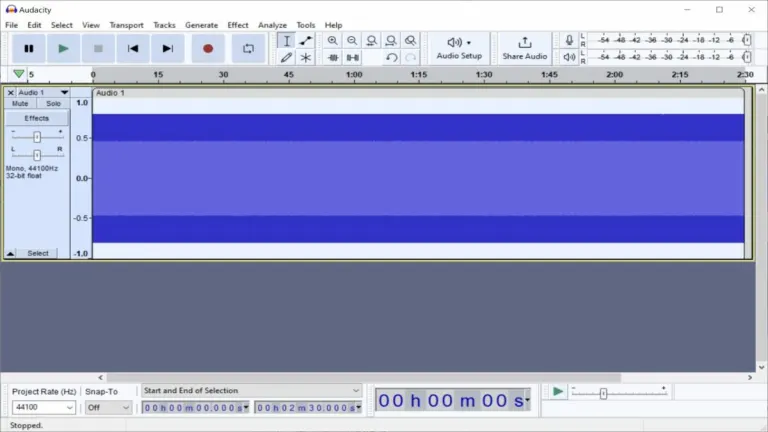
Every file you open on Audacity is visible on the screen as a waveform. You can play all the files together, edit each one as you need, or merge multiple sounds to create some stunning music. Since Audacity comes with several features to create or edit music, it’s becoming increasingly popular around the world.
Compared to Wave Editor and Sound Studio, working with sound files in Audacity is super easy. With easy-to-access play, stop, pause, forward, back, and record buttons, you can create and listen tracks in the way you would with an analog recorder. Moreover, you can draw a line right through the waveform to listen to a specific section of the track.
With the cut tool, you can remove several sections from a track, and use the paste tool to insert certain sections or clips. The merge functionality lets you combine multiple tracks into a single file. In order to manage audio files, the program comes with several fade options and effects. There’s also an equalizer and various distortion controls to ensure greater control over the sound mixes.
Unlike other free audio editing programs, Audacity comes with an ‘auto duck’ feature, which lets you set a function to drop the volume on a specific track as another one is laid down. This can be quite useful for podcast recordings. With Audacity, you can easily reverse audio clips or tracks, delay recordings with a timer, set the volume control, or trim off silence.
On top of all of this, Audacity even lets you stack unlimited tracks, making it easier to create complex mixes. The only issue with downloading Audacity is its few bugs, which can cause minor lags and occasional crashes. Regardless, Audacity is an overall solid option when it comes to ease of use.
Can you use Audacity with a microphone?
With Audacity, you can record audio from the computer’s playback as well as a microphone. The sample rates can be as high as 192,000 Hz. The program’s level meters automatically monitor the volume during recording, allowing you to identify various issues before the recording is completed. Audacity also offers support for 24-bit depth recording.
Does Audacity support multiple file formats?
Compared to Final Cut Pro and other similar audio software, Audacity supports a wide range of file formats, such as AIFF, WAV, FLAC, MP2, MP3, and OGG. With an optional plug-in library, you can get support for M4A, AC3, MP4, and other kinds of files. While the program can import these file formats, it can also convert different file types within seconds.
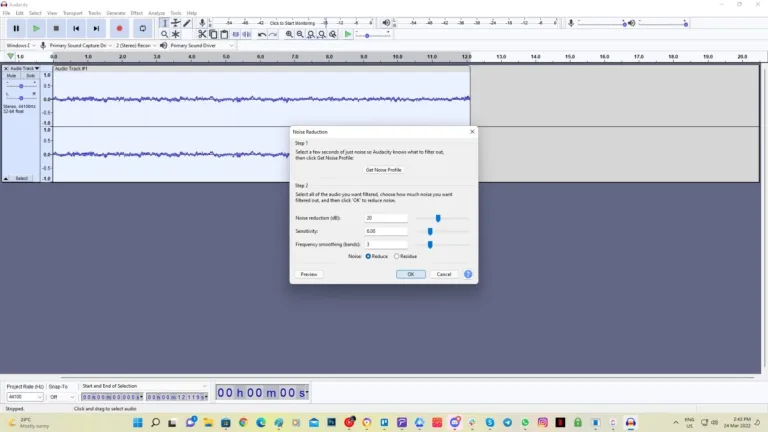
Once you’ve imported different files to the audio editing program, you can adjust different effects and filters, including smooth fading, multi-track editing, syncing, labelling, and more. With Audacity, you can easily remove humming noises, annoying hissing, and several other background noises. This is perfect for building a high-quality recording environment.
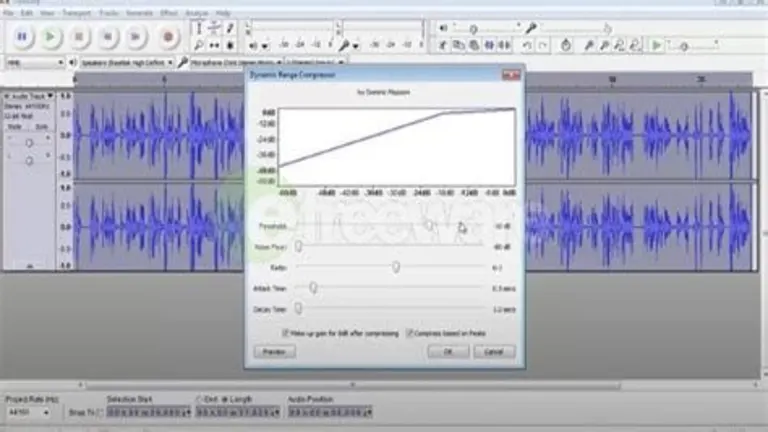
With the High/Low Pass, Treble and Bass, Notch Filter Effects, and Equalization, Audacity can easily alter frequencies, while allowing you to adjust the volume with the compressor. You can also use formalization, amplification, adjustable fade effects, and fade in/out features. Last but not least, the program comes with built-in support and crash recovery for plug-ins.
Does Audacity support plug-ins?
Though Audacity already comes with a wide range of features, you can expand the program’s power with several plug-ins. This helps you add new effects and ensure tool integration with other apps. With Audacity, there are no limits to the length and size of the projects. Whether you’re creating podcasts, music, or working on other kinds of projects, Audacity will prove to be an excellent choice.
The perfect audio editor for Mac!
All the versions of Audacity come with plenty of features. When it comes to Mac devices, the program has a simple interface. This makes it easier to play around with various sounds, effects, filters, and other features. Whether you want to work with an existing file or create music from scratch, Audacity will be an ideal choice for Mac devices.






















User reviews about Audacity
by Man Kal
great piece of software! We needed a MacBook stereo mix equivalent. and Voila..audacity to the rescue. Audio recording is a breeze.
by Mr.Reko_ A.K
Doesn't work in my Mac, I don't know why.
every tome I wanna start it, it stock and then close.
by Evelyn Valerie Setiobudi PYP S
I think it's good for beginners but it is hard fro beginners to download.
by Lavinia McGrath
Video go's blur and unable to see how to reduce noise after recording!.
The video showing how to clean up after recording on Audacity go's blur so am unable to see what to do! I am old skool, still use vinyl and want to record all my vinyl but unless you have kept up to date with technology some of the words are so difficult to understand.
I need a more step by step guide, am totally lost but I will carry on searching until I understand. Pros:
I can copy my vinyl on to computer
its free
Cons:
idiot proof writing for us older non technico people More
by Varghese John
very good one.
very nice software very good for audio edting can do amazing jobs